

Sulat
A voice-first writing app for students who find holding a pen or typing hard, with tap-to-insert connective words and read-aloud editing.
About this app
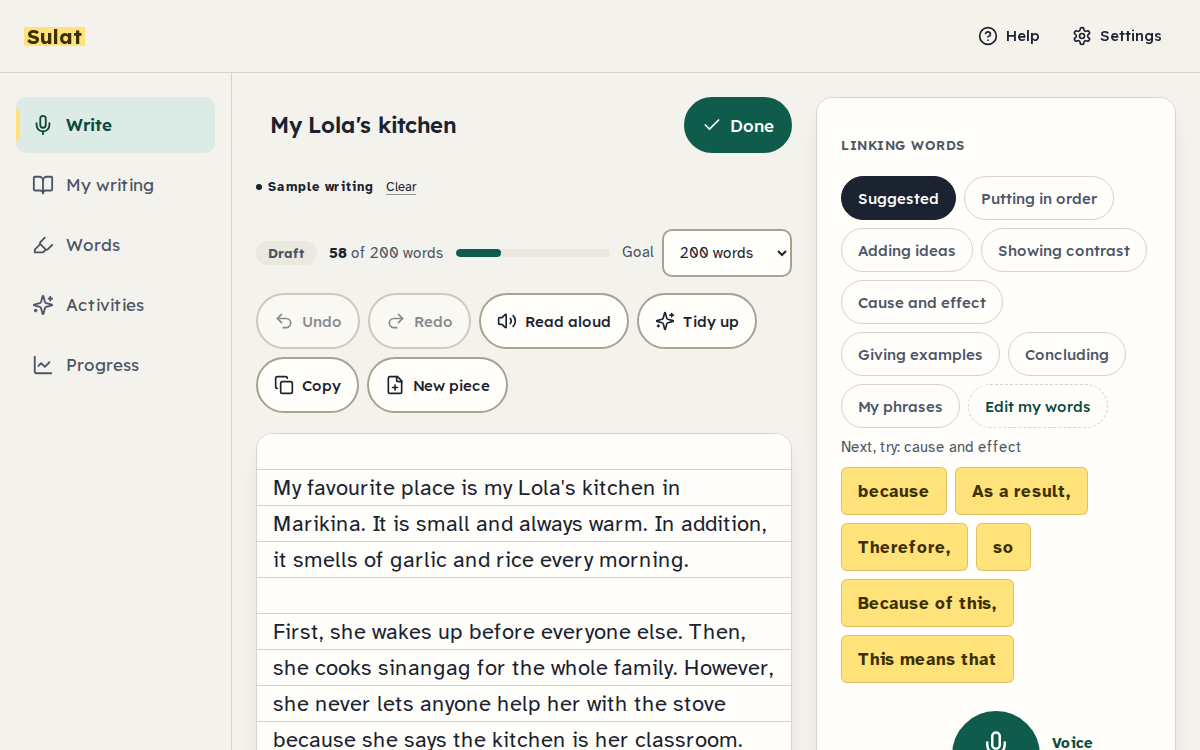
Sulat turns speech into written text so a student can compose an essay, story, journal entry, letter, report, or set of instructions by talking instead of typing or holding a pen. A connective-word rail sits above the microphone and suggests words like "however" or "as a result" that usually fit next, which the student taps to insert at the cursor. Editing is done by voice command or large on-screen buttons with undo and redo, an AI "Tidy up" step fixes punctuation and capitals without changing the student's own wording, and a read-aloud feature plays the piece back so mistakes can be caught by ear.
It is built for a student who finds writing physically difficult, for example from having no arm, an injured hand, or limited grip, doing schoolwork in English on a school laptop or phone. It assumes one student per device with no sign-in, and leans on the browser's built-in speech recognition, falling back to typing where that is not available.
The main screens are Write, where the ruled page, connective rail and microphone live; My writing, a list of all pieces with status and word counts; Words, the library of connective phrases including any the student adds; Activities, a set of writing prompts to start from or create; Progress, showing words written per day and a streak toward a daily goal; and Settings, where text size, contrast, speech language and read-aloud speed can be changed. A school, occupational therapist, or accessibility service supporting students with limited hand use, or a student or parent looking for a calmer way to get schoolwork written, would want an app like this.
What it does
- Dictate an essay, story, journal entry, letter, report, or set of instructions by speaking
- Tap a connective word such as "however" or "as a result" to insert it at the cursor
- Edit text with voice commands or large on-screen buttons, including undo and redo
- Run "Tidy up" to clean punctuation and capitalization while keeping the student's own words
- Hear a piece read back aloud to catch mistakes without close reading
- Start from a built-in writing activity or create a custom one with its own word goal
- Track words written per day and a writing streak toward a daily goal
- Adjust text size, contrast, speech recognition language, and read-aloud speed
Questions
- Can I build a writing app for students with disabilities without code?
- Yes, this one was made with BooDoo, and a similar voice-first writing tool can be made by describing it.
- Does it work without a keyboard or mouse?
- It is built around speech recognition for writing and voice commands for editing, so holding a pen or typing is not required, though typing still works as well.
- What happens if the browser does not support speech recognition?
- The app tells the student speech input is unavailable and lets them keep writing by typing.
- Can students export their writing to Word?
- Not in this version; writing can be copied to the clipboard instead of exported as a file.
- Is this meant for a teacher to manage a whole class?
- No, this version is for one student per device, with no teacher accounts or sharing to a class.
Build an app like this
More apps like this

Education
Coaching classes
Timetables, attendance and fee status for a coaching institute, plus demo bookings for new students.

Education
Schulblick
Stundenplan, Vertretungen, Hausaufgaben, Noten und Mitteilungen – auf einen Blick.

Education
மதரஸா மாணவர் பதிவேடு
மாணவர் பதிவு, வருகை, அறிக்கை — எல்லாம் உங்கள் கைபேசியில், இணையம் இல்லாமலும்.
Education
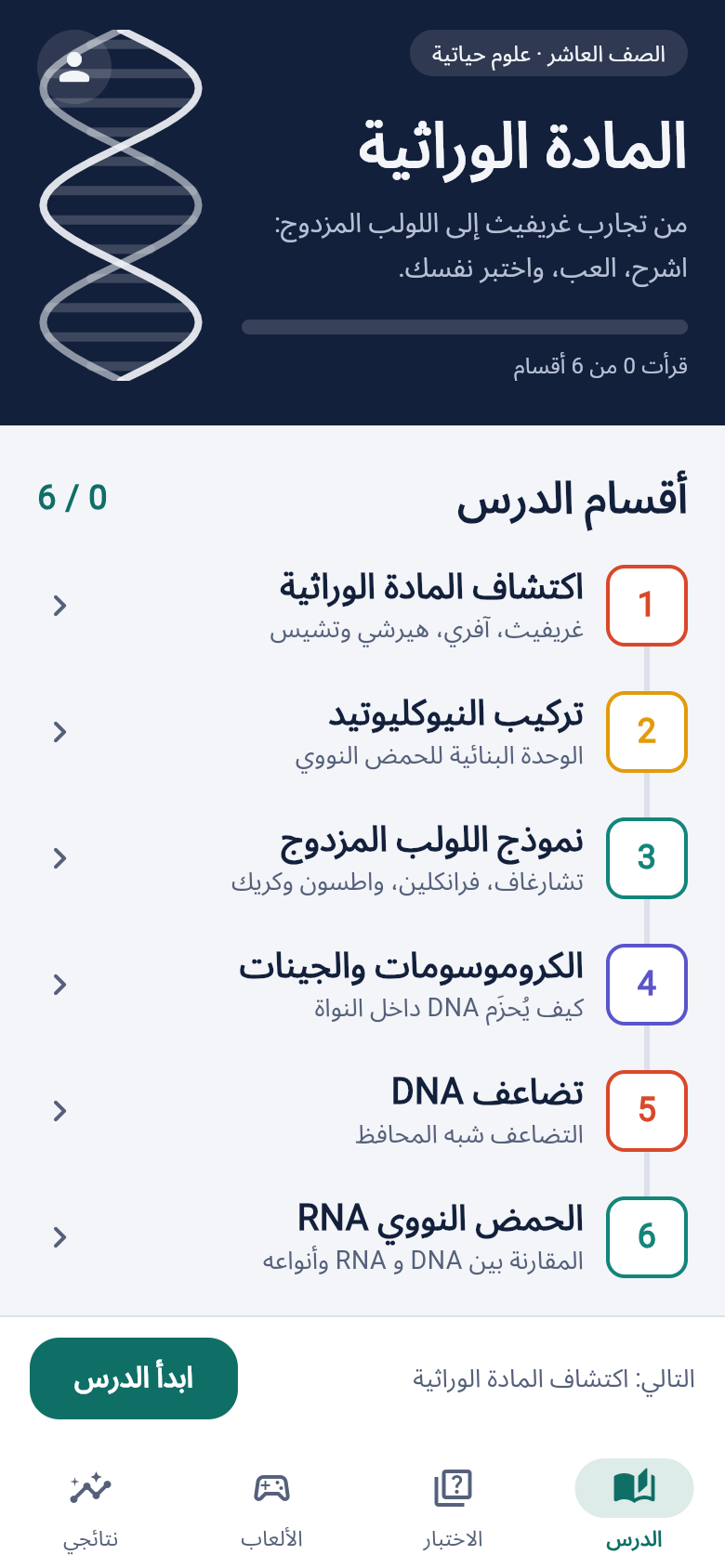
المادة الوراثية
درس المادة الوراثية للصف العاشر: اشرح، جرّب، العب، واختبر نفسك.
Education
Union🌟
Snap beads of code onto a thread and make your star perform.

Education
Запас
Слова, которые остаются в памяти.
Made with BooDoo. Owners on a paid plan can hide their app from the gallery.