

Sai Studio
A phone app that turns a topic into a full video plan, script, shot list and thumbnail for a YouTube creator, free with no subscription.
About this app
Sai Studio is a phone app built for a single YouTube channel, Sai The Vlogger. The owner types a topic and the app writes a full video plan: an opening hook, a scene-by-scene shot list with timings, the exact voiceover lines for each scene, several title options, a description, tags, and an AI-drawn thumbnail background with a bold headline overlay.
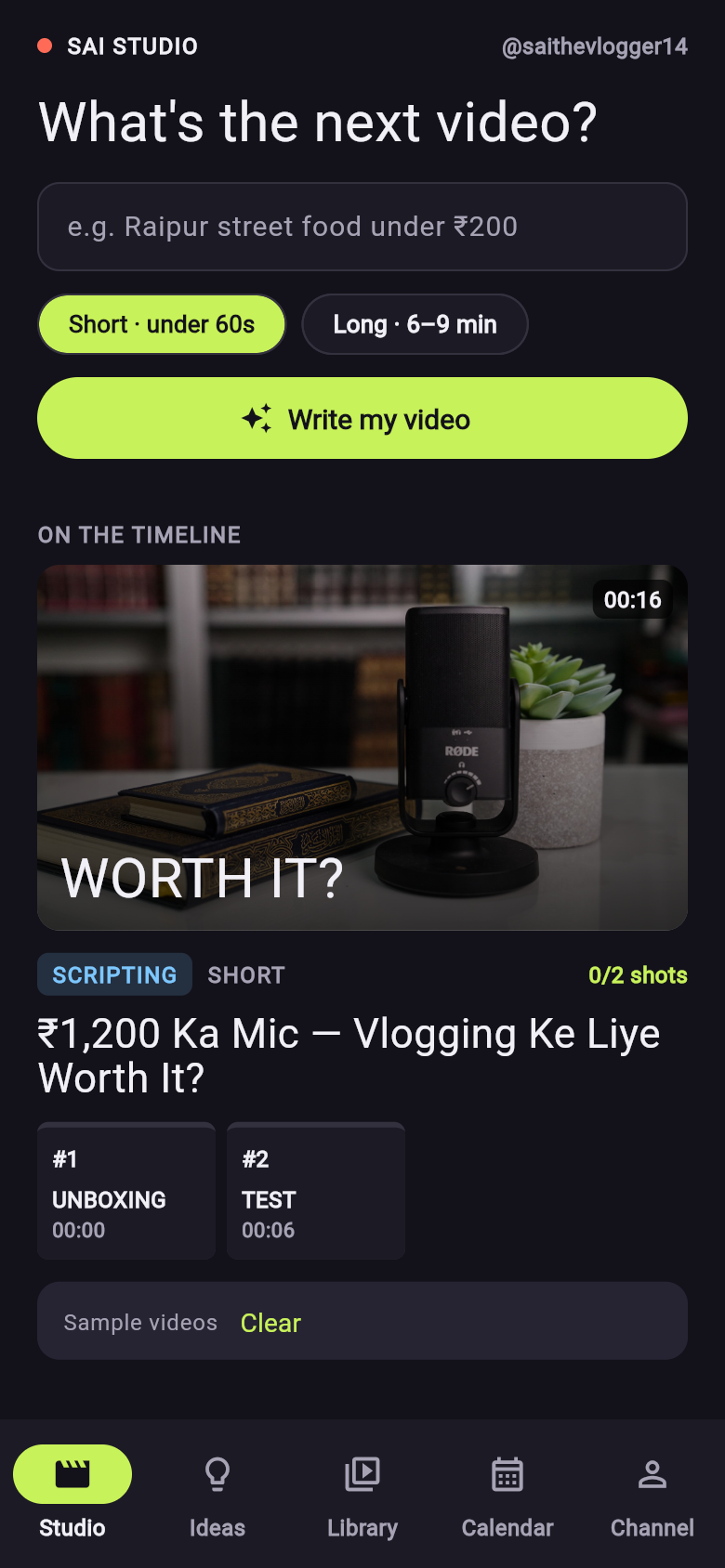
The main screen shows a box to type a new topic plus a filmstrip of the most recent finished video and an "in progress" rail. From there a video opens into tabs for scenes, script, thumbnail and a publish kit, so the whole process of turning an idea into something ready to shoot lives in one place instead of scattered notes.
The app does not render a video file or generate a spoken voice track. Instead it gives Sai a shot list to record on the phone, a teleprompter screen that scrolls the voiceover at a chosen speed so it can be read aloud in Sai's own voice, and a thumbnail image. A publish kit copies the title, description and tags and opens YouTube Studio for the actual upload, and there is a running calendar of upload dates grouped by week.
This suits a solo vlogger or small creator who scripts and shoots their own videos and wants the planning, scripting and thumbnail work done quickly between filming sessions, with an ideas list for topics to tackle next.
What it does
- Type a topic and generate a hook, full script, shot list, titles, description, tags and thumbnail in one pass
- Work through a video's scenes, editing each shot, voiceover line and on-screen text with timing
- Use a full-screen teleprompter with adjustable scroll speed and text size to record voiceover in your own voice
- Check off scenes as they are shot, with shooting progress shown back on the main screen
- Generate an AI thumbnail background and try different headline text and text colour options
- Copy the finished title, description and tags and jump to YouTube Studio to publish
- Browse and save AI-suggested video ideas, then convert any of them into a full video plan
- See all upcoming videos laid out on a weekly upload calendar
Questions
- Does this app create an actual video file or voice audio?
- No. It writes the script, shot list and thumbnail image; recording the footage and reading the voiceover is still done by hand using the built-in teleprompter.
- Does it upload to YouTube automatically?
- No. It prepares the title, description and tags for copying and opens YouTube Studio so the upload is done manually.
- Is Sai Studio free to use?
- Yes, it is described as free with no subscription and nothing stamped on the generated plan.
- Can I get a similar app for my own channel?
- Yes, a comparable topic-to-script-and-thumbnail planner can be built with BooDoo by describing the workflow.
- Does the app suggest what to make videos about?
- Yes, an Ideas tab can suggest topics for the channel, which can then be saved or turned straight into a full video plan.
Build an app like this
More apps like this

Internal tools
Kès Boutik
Les ventes, le stock et les crédits clients de votre boutique, au même endroit.

Internal tools
Planilha Já
Digite o produto e veja a quantidade da sua planilha do Google na hora.

Internal tools
MAZORA GESTION
Les trois cahiers de Mazora Shop Sandal, calculés tout seuls.

Internal tools
T&L Auto Supply
Every part, price and peso at the counter, on one phone.

Internal tools
Osot
Stock, sales, orders and staff for a Cambodian pharmacy, in English and Khmer.

Internal tools
Forja AI Ultra
Descreva a ideia. A IA forja o app — arquivos reais, prévia rodando, versões guardadas.
Made with BooDoo. Owners on a paid plan can hide their app from the gallery.